
 securetools.live • October 2026
How to Share a PDF With Screenshot Protection (2026 Guide)


Use a secure viewer with email verification, no-download controls, screenshot deterrence, a dynamic watermark and revocable links; no web app can stop every screenshot. A PDF sent as an email attachment stops being under your direct control. A controlled viewing link allows you to identify intended viewers, limit downloads, discourage common capture paths, and revoke further access.
Compare 16+ verified document security tools, screenshot deterrents, and DRM platforms.
1. Security reality check
A secure viewer changes how a PDF is delivered and accessed. It does not take control of every recipient device. A determined viewer can use another phone to photograph a screen, use assistive technology or a compromised endpoint, or transcribe the material.
Treat no-download rules, browser capture deterrence and visible watermarks as layered risk reduction—not absolute copy prevention. For highly sensitive files, combine identity verification, short-lived access, least privilege, a legal agreement where appropriate, monitoring, and revocation.
2. When this method is useful—and when it isn't
| Situation | Recommended approach | Watch out for |
|---|---|---|
| Investor pitch deck with confidential financials | Named-viewer secure link, short expiry, download off, watermark | Viewer can photograph the deck |
| Board minutes or M&A diligence | Individual access grants, audit log, watermark, approval workflow | Internal forwarding and permission inheritance |
| Customer proposal | Email-gated viewing and engagement analytics | Friction can reduce response rates |
| HR records or regulated personal data | Minimum necessary sharing, identity verification, retention rules | Viewer-identifying watermark data may itself be personal data |
| Public brochure or public filing | Ordinary downloadable PDF | Restrictive controls are unnecessary |

3. What does “screenshot protection” actually mean?
Three controls are frequently conflated:
Use all three with identity gates for sensitive material, and disclose exceptions. DocSend documents screenshot protection for Advanced and Advanced Data Rooms and notes it helps discourage screenshots without guaranteeing prevention. SendNow's Screenshot Blocker is documented for Pro and Business and explicitly warns that native iOS/Android screenshots remain possible.
4. Step-by-step setup: share a PDF with screenshot deterrence
Step 1 — Classify the PDF before uploading
Remove unnecessary sensitive fields, metadata and hidden comments. Keep a clean authoritative copy in your records system. If the recipient needs to edit or retain the file, restricted view-only delivery may be the wrong channel.
Step 2 — Upload to a controlled document-sharing service
Choose a provider with a hosted viewer, individual access controls and sufficient audit records. Prefer a private link for named recipients over a public or “anyone with link” permission.
Step 3 — Verify who may open it
Use named email allowlists or email verification where appropriate. Remember: entering an email address without verification is not robust identity assurance. A password alone can be forwarded with a link.
Step 4 — Disable normal download routes and enable screenshot protection
For DocSend, create or edit the relevant link or Space and check the screenshot protection feature under the eligible Advanced-tier plan. For
SendNow, open the link settings, enable Screenshot Blocker (on Pro/Business), and separately disable Allow Download. Confirm these settings remain active after saving.
Step 5 — Add an identity-aware watermark
Stamp the verified viewer identity in a readable but not obstructive position. Include a date when appropriate. Do not assume that a watermark on a source file and one overlaid by the viewer behave identically.
Step 6 — Add time limits and revocation
Apply an expiry aligned with the transaction. Revoke promptly after the sharing purpose ends. Test whether previously authorized users can reopen after revocation; remember any photos they already took remain outside your control.
Step 7 — Send a short recipient notice
Tell the recipient the link is view-only, may require email verification and may display an identity watermark. Explain the approved process for requesting a printable or accessible copy.

5. Ten platforms to evaluate (not a laboratory ranking)
These are different categories, not feature-equivalent substitutes. Never interpret a mention as confirmation of screenshot prevention, dynamic watermarking, or certifications; verify plans, file types and viewing modes.
| Platform | Relevant role | Important qualification |
|---|---|---|
| Tracked external document sharing | Screenshot protection and dynamic watermarking are plan-/link-dependent; review current documentation | |
| Secure external PDF links | Screenshot Blocker is a desktop-browser deterrent; dynamic watermark can identify viewers | |
| Secure data rooms and document control | Validate watermark/screen-shield availability per plan | |
| Protected document distribution | Validate supported PDF controls and environments | |
| DRM-style protected PDF viewing | Different viewer/deployment constraints | |
| Due-diligence virtual data rooms | Check watermark and audit options | |
| Enterprise content governance | Watermark/DLP capabilities depend on plan and add-ons | |
| Microsoft 365 content sharing | Tenant policy and sensitivity labels affect behavior | |
| General cloud collaboration | Sharing controls are not equivalent to dedicated browser screenshot deterrence | |
| PDF authoring and static marking | PDF restrictions can differ from a controlled online viewer |
Selection method: Choose by threat model, recipients, viewer/OS support, cost, logging, accessibility, and whether the workflow requires collaboration or restricted viewing. This is an editorial shortlist based on product positioning and documentation, not hands-on testing of all ten services.
6. How to test your configuration before sending real files
- Create a harmless sample PDF marked TEST—do not use real customer records.
- Share it with an external test account, not only a signed-in administrator.
- Verify that unauthorized accounts are rejected and approved accounts pass the intended gate.
- Try the download menu, print shortcut, copy/paste, common desktop screenshot shortcuts, and a mobile screenshot. Document outcomes instead of claiming full prevention.
- Confirm watermark text remains readable while leaving the underlying document useful.
- Test expiry, revocation, and later reopening from the same and another browser.
- Check whether access logs record the intended events and whether retention suits your policy.
- Run a keyboard-only and screen-reader check for accessibility; do not silently break essential assistive workflows.
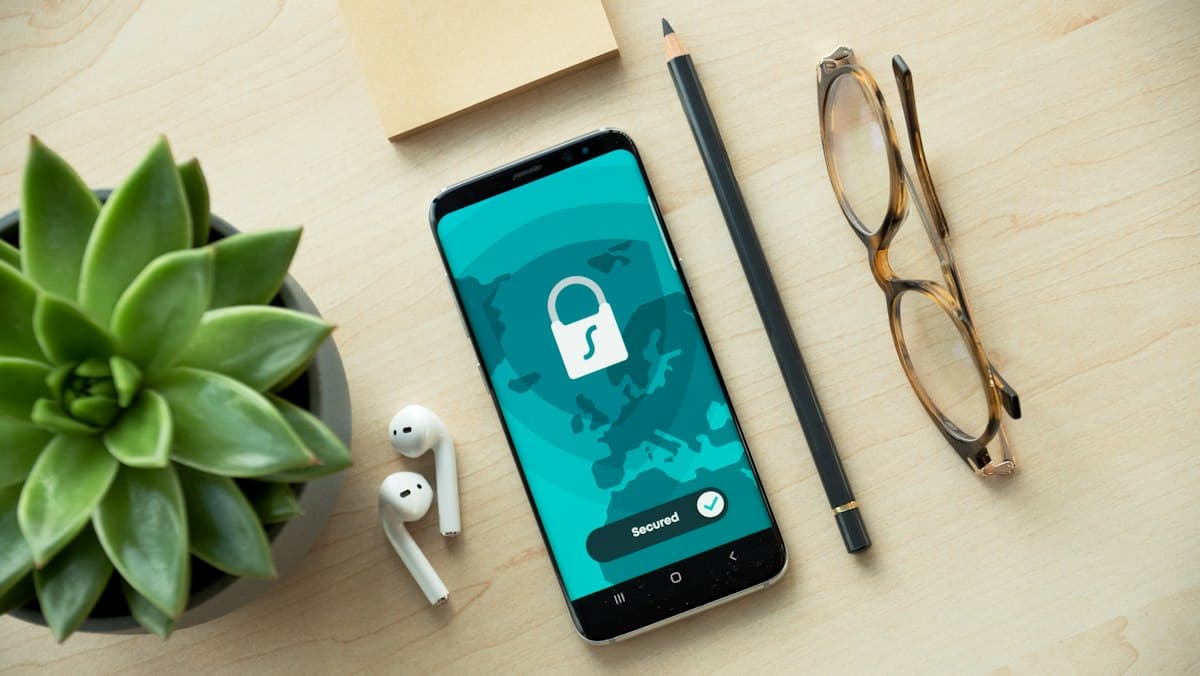
7. Screenshot protection troubleshooting
| Problem | Likely cause | What to check |
|---|---|---|
| Recipient can still take mobile screenshots | Native OS screenshot support | Vendor warning and mobile test |
| Download button disappeared but content was copied | Restrictions are not full DRM | Text selection, print, accessibility behavior |
| Screenshot toggle unavailable | Plan/file/link mismatch | Entitlement and viewer type |
| Watermark shows no viewer identity | Anonymous viewing or wrong settings | Email verification and watermark variables |
| Expired link still opens | Session/cache or revocation error | Test with fresh browser and independent account |
8. Governance and privacy considerations
A viewer email or name stamped across a document may be personal data. Explain identity collection to recipients, define the lawful purpose and retention period where relevant, and avoid embedding unnecessary attributes such as personal telephone numbers.
A screenshot restriction can conflict with disability access or legitimate records retention; publish an exception path for authorized users. No watermark replaces an NDA, classification policy or incident response plan.
9. Frequently asked questions
No. Browser controls can deter some screen capture, but another camera or platform-level capture can still record the display.

About the Author: Mohamed Siraj
Mohamed is the founder of SecureTools.live. He leads the team in building secure, compliant, and privacy-first directory tooling for software teams, finance professionals, and enterprise security leaders worldwide.