
 securetools.live • November 2026
Ransomware and Cloud Backups: How to Keep Backups Attackers Cannot Delete


Attackers go after backups early, so a ransomware-resilient backup is one that cannot be reached, changed or deleted with the credentials an attacker is likely to steal. Layer separate credentials, versioning and delete protection, immutable storage with locked retention, an offline or cross-provider copy and alerting, then test restores and recover in a safe order. Use immutability carefully, because a misconfigured lock can be costly.
Compare cloud backup and disaster recovery software on SecureTools.
What Attackers Do to Backups First
Ransomware is not only about encrypting your files. The leverage in an attack comes from removing your ability to recover. CISA's #StopRansomware Guide notes that many ransomware variants attempt to find and subsequently delete or encrypt accessible backups (CISA #StopRansomware Guide). A backup that sits where an attacker's stolen administrator login can reach it is a backup that may not exist when you need it.
That changes how to think about backup design. The old question was whether a copy existed. The better question is whether that copy would survive an intruder who has the keys to your main environment, including your cloud administrator account. If the answer is no, you have a copy, not a defense.
This guide builds five layers of ransomware backup protection, explains how major clouds implement immutability, and sets out a recovery order. It assumes you already follow the basic 3-2-1 backup rule and understand why sync is not backup.
The Four Ways Backups Get Destroyed
Understanding the routes helps you choose controls that actually block them. Most destruction of backups falls into four patterns:

- Credential theft. The attacker obtains an administrator or backup-operator login, then deletes backup sets, snapshots or whole vaults through normal management tools.
- Reachable storage. Backups sit on a network share or a drive mounted on the infected machine, and the malware encrypts them alongside the live data.
- Quiet retention changes. The attacker shortens a retention policy or stops protection with deletion of data, so old recovery points expire on schedule without any alarm.
- Poisoned backups. The malware or encrypted files have been present for weeks, so every recent backup contains the problem and clean versions have already aged out.
NIST's practice guide on recovering from ransomware and other destructive events groups the risk more broadly, covering destructive malware, malicious insiders and honest mistakes, and focuses on detecting problems, responding and recovering with data you can trust (NIST SP 1800-11). The same layers help with all of them.
Layer 1: Separate the Credentials
The cheapest protection costs nothing but discipline. Make sure the identities that can delete or change backups are not the identities people use every day, and are not the same as your production administrators.
- Use a dedicated backup account or tenant, not a role inside your main cloud account.
- Require strong multi-factor authentication on every backup administrator, preferably with phishing-resistant methods. The guide to two-factor authentication and SSO covers the options.
- Limit the number of people who can delete recovery points, and require a second person or a delay for destructive changes where the platform supports it.
- Never reuse passwords or single sign-on sessions between production and backup administration.
- Alert on any change to retention settings, protection status or credentials.
CISA's broader guidance on least privilege and separating administrative accounts applies directly here, even though its backup advice does not spell out credential separation in so many words. Treat it as the foundation: every layer below fails if the same stolen login can switch it off.
Layer 2: Versioning and Delete Protection
Versioning keeps previous states of each object, so an overwrite or encryption event produces a new version instead of destroying the old one. Delete protection adds friction to removing objects or entire storage containers. CISA's guidance recommends enabling delete protection or object lock on storage that ransomware often targets and considering version control.
These are useful but not absolute. Versioning stops quiet overwrites, yet an attacker with sufficient permission can still delete versions, and delete protection can sometimes be turned off by an administrator. Think of them as a speed bump that buys time and creates log entries, while the next layer provides the real barrier.
Set retention long enough to cover your realistic detection time. If ransomware sits dormant for weeks before triggering, thirty days of versions may only contain infected copies. Our guide on writing a retention and deletion policy can help you choose the window.
Layer 3: Immutable Storage and Object Lock
Immutable storage uses a write-once-read-many model: once written, data cannot be changed or deleted until a retention period ends, even by administrators. This is the strongest control against destructive attacks, because it holds even when credentials are stolen.
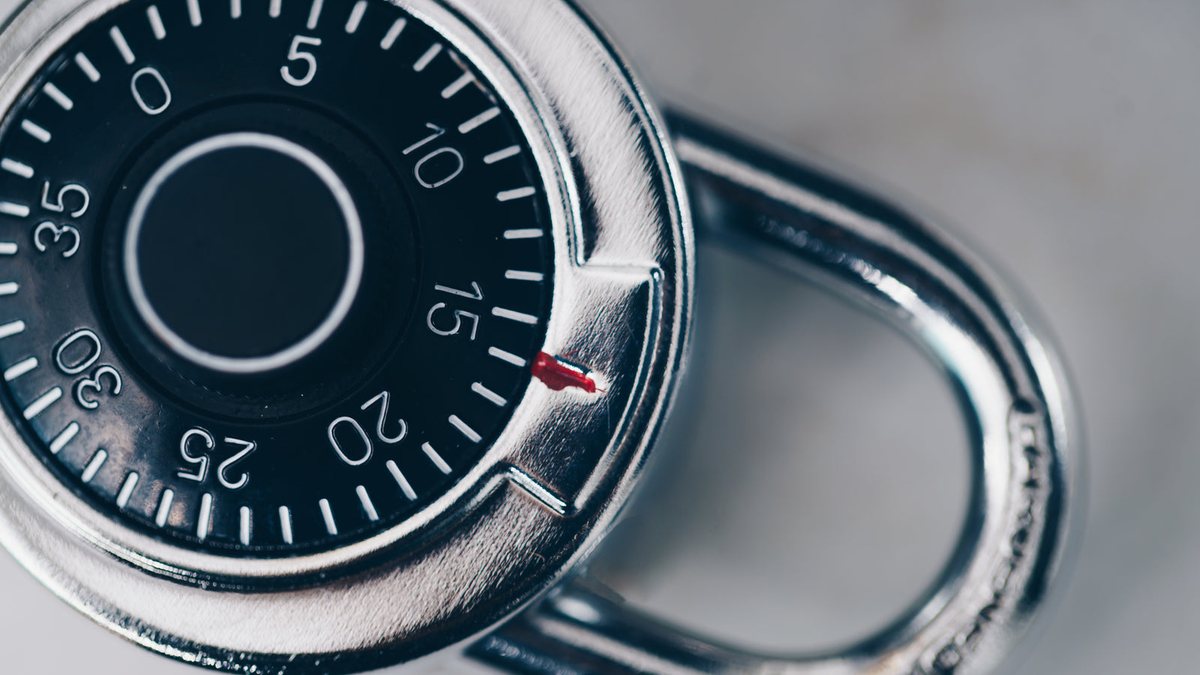
Amazon S3 Object Lock illustrates the model. It offers retention periods and legal holds, works only in buckets with versioning enabled, and provides two modes. In governance mode, most users cannot overwrite or delete protected versions, but users with a special permission can. In compliance mode, no user, including the account's root user, can overwrite or delete the version during the retention period, and the retention cannot be shortened (Amazon S3 Object Lock documentation). The documentation also states that the only way to delete an object under compliance mode before its retention date expires is to delete the associated AWS account.
Two details matter in practice. Retention applies to a specific object version, and a new version or a delete marker can still be added on top, so protection depends on keeping and retaining versions. And choosing between modes is a trade-off between flexibility and certainty. The documentation suggests governance mode when you want protection from most users but still need some people to adjust settings, and compliance mode when no one should be able to delete during the period.
How Major Clouds Implement Immutability
The names differ by provider, but the idea is the same. The table summarizes what the documentation states at the time of reading; features and limits change, so verify before you design around them.
| Capability | What the documentation says | Points to check |
|---|---|---|
| Amazon S3 Object Lock | WORM model with fixed or variable retention and legal holds; requires versioning; governance and compliance modes | Compliance mode cannot be shortened, and unexpected locks can be costly to unwind |
| Azure Blob immutable storage | Time-based retention and legal holds; data cannot be modified or deleted by any user, including account administrators, while a policy is in effect | A time-based policy must be locked to be fully compliant; an unlocked policy is meant for short-term testing |
| Azure Backup immutable vault | Blocks operations that could cause loss of recovery points, such as stopping protection with deletion of data or reducing retention; settings can be disabled, enabled, or enabled and locked | Locking the setting is irreversible, and immutability does not apply to operational backups of blobs, files and disks |
Sources for these rows are Microsoft's Azure Blob immutable storage overview and its immutable vault for Azure Backup concept page, in addition to the S3 documentation above.
Other vendors and backup products offer comparable features under other names. Whatever the label, ask the same questions: who can turn it off, for how long is data protected, what happens at the end of the period, and what does it cost to hold data that long.
Layer 4: Offline and Cross-Provider Copies
Immutability protects against deletion within one provider, but a provider-wide account problem can still affect you. A final layer keeps a copy outside that boundary. CISA's guide recommends maintaining offline, encrypted backups of critical data, and for cloud workloads it suggests considering a multi-cloud approach for cloud-to-cloud backups, so that compromised accounts at one vendor do not take out every copy.
For a small business this can be simple: a periodic encrypted export of critical data to a second provider under unrelated credentials, or to media that is physically disconnected after each run. It does not have to be frequent, because its job is to be the last resort that survives everything else.
Encrypt these copies and keep the keys apart from them. The guide to choosing encrypted cloud storage covers what to ask when picking where the extra copy lives.
Layer 5: Detection, Alerts and Tested Restores
Protection layers are not enough without signals that tell you when something is wrong. Backup systems should feed alerts for failed jobs, sudden changes in backup size, deleted recovery points, retention or policy changes, and sign-ins from unusual places.

An abnormal change in backup volume is a useful early warning: a large drop can mean data was deleted before backup, and a surge of changed files can indicate mass encryption. Pair this with regular restore tests. CISA recommends regularly testing the availability and integrity of backups in a disaster recovery scenario, and NIST's guide stresses being able to trust the accuracy of recovered data.
A schedule that works for most small teams is a monthly spot restore of a few files, a quarterly restore of a full system or folder to a clean machine, and an annual rehearsal of the written recovery plan. The insider risk guide shows how to build the same kind of baseline for people-driven threats.
Trade-Offs and Cautions: Cost, Compliance Mode and Misconfiguration
Immutability has real costs, and CISA's guide says to use immutable storage with caution because it may not meet certain compliance criteria and misconfiguration can be costly. Locked data is also data you pay to keep until the period ends, and some workloads do not fit: Microsoft notes, for example, that immutability on active virtual machine disks is discouraged, and that some features are not compatible with it.
- Start in a testing or governance-style mode, confirm that backups and restores work, and only then lock.
- Set retention periods deliberately; a long lock set by mistake can be expensive and hard to reverse.
- Keep documentation of every lock you create, who approved it and when it expires.
- Check compatibility with your backup tool before turning protection on, since some tools append to files or change objects after writing.
- Remember legal and privacy obligations: you may need to delete personal data on request, and a locked copy can conflict with that. This is general information, not legal advice; take advice for your situation.
Recovery Order After an Attack
How you restore matters as much as what you restore from. CISA's guide advises identifying dropper malware before rebuilding from backups, to avoid continuing the compromise, and restoring from offline, encrypted backups in order of service priority.
- Isolate affected systems and accounts, and preserve evidence.
- Identify how the attacker got in and which systems are compromised, so you do not restore into a still-vulnerable environment.
- Reset credentials, starting with administrative and backup accounts, from a known-clean device.
- Choose a restore point before the first sign of compromise, and verify the data in an isolated environment.
- Restore critical services first, then the rest, checking each for signs of reinfection.
- Document what happened and fix the control gaps that allowed it.
A Hypothetical Attack, With and Without These Layers
The following is a hypothetical illustration. An intruder steals an administrator login for a company's main cloud account, deletes the backup vault in that account and encrypts the production file shares.
Without the layers above, the company discovers the vault is gone and has only a stale copy, if any. With separate credentials, an immutable copy held under a different account and an offline export, the intruder's stolen login cannot touch the protected copies. The company restores from a clean restore point in priority order, and the incident costs hours of disruption instead of the business.
Backup Protection Checklist
- Backup administration uses separate accounts with strong multi-factor authentication
- No backup location is writable from everyday user or server accounts
- Versioning and delete protection are on, with retention longer than realistic detection time
- At least one copy is immutable, and the lock has been tested before being made permanent
- An offline or cross-provider encrypted copy exists, with keys stored separately
- Alerts fire on failed jobs, deleted recovery points and policy changes
- Restores are tested monthly, quarterly and annually, with times recorded
- A written recovery order names who does what and in which sequence
- Any legal or privacy implications of long retention have been reviewed
Frequently Asked Questions
Yes, if the backups are reachable with credentials or access the attacker obtains. CISA notes that many ransomware variants try to find and delete or encrypt accessible backups. Protect them with separate credentials, immutability, delete protection and at least one offline or cross-provider copy.
Sources and Further Reading
This guide draws on the pages below. Vendor documentation and standards change, so check the current version before relying on a detail.
- CISA #StopRansomware Guide (cisa.gov)
- Amazon S3 Object Lock documentation (docs.aws.amazon.com)
- Microsoft Learn: Immutable storage for Azure Blob (learn.microsoft.com)
- Microsoft Learn: Immutable vault for Azure Backup (learn.microsoft.com)
- NIST SP 1800-11: Recovering from Ransomware (csrc.nist.gov)
Related Articles

About the Author: Mohamed Siraj
Mohamed is the founder of SecureTools.live. He leads the team in building secure, compliant, and privacy-first directory tooling for software teams, finance professionals, and enterprise security leaders worldwide.